
Resurrecting a NorthStar Advantage computer
Last updated: Mar 16, 2026
During a recent visit to the Oldenburger Computermuseum (OCM), I spotted two NorthStar Advantage computers in their reserve collection. I’d used a friend’s NorthStar Advantage to lay out our school magazine using WordStar back in 1983, so I was immediately intrigued.
We pulled them into the workshop and bench-tested them. One asked for a boot medium, while the other displayed garbage. I offered to take them home for maintenance and repair, as I’m always happy to work on machines that I can fix and return.

The NorthStar Advantage is an all-in-one system that integrates the computer, monitor, keyboard, and disk drives into one unit. It came with a Z80 CPU at about 4 MHz, 64 kB RAM, two 5.25-inch floppy disk drives (or, optionally, one floppy drive and a 5 MB hard disk). Its standout feature was a 640x240 monochrome framebuffer backed by 32 kB of dedicated display RAM - unusual for the era, which mostly relied on character-based display controllers.
Despite its capabilities, the machine was not a huge success. The base unit was expensive, and it used hard-sectored 5.25-inch floppy disks instead of the common soft-sectored variety - a format that was harder to find and more expensive.
Fixing the faulty machine
Back home, I started to diagnose the faulty machine: When switched on, it displayed garbage on the screen. Sometimes, the machine beeped and the “LOAD SYSTEM” message that the ROM displays to prompt the user to insert a bootable floppy was partially visible. Sometimes, it would just beep after a while. Sometimes, it would do nothing.
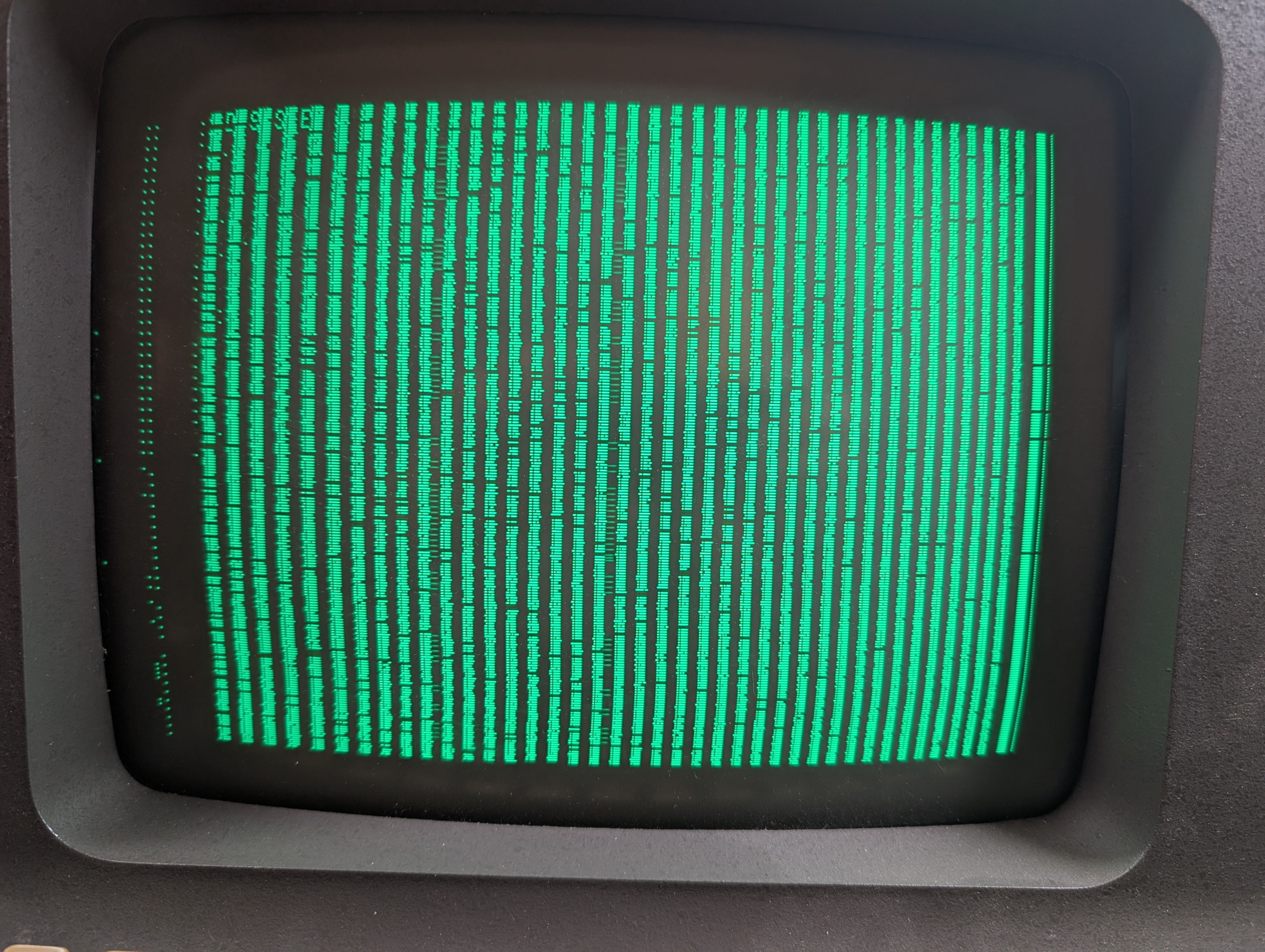
To me, this looked as if there was a problem with one or more of the 4116 dynamic RAM chips. The machine has 52 of these chips, and they’re known to go bad over time. Luckily, they were all socketed, so I pulled them out and tested them with Tube Time’s excellent Pico DRAM Tester. The tester found 8 chips to be faulty, so I replaced them. The machine did not care, though, and its behavior was still the same.
Using Claude Code as Hardware Debugging Assistant
I gave Claude Code the manual, schematics, and boot ROM disassembly, installed a Z80 cross assembler, and used it both to discuss findings and generate test programs.
While listing possible causes for the display corruption, Claude Code mentioned that the boot ROM uses display RAM for the stack during the boot sequence. With this information and the observation that the display corruption was not always the same after I switched the machine on, I decided to test whether the CPU could execute code reliably without touching the display RAM.
I needed a way to run custom code in the machine. For that, I used a memSIM2 EPROM emulator from MOMIK electronics with an adapter to make it work in the 24-pin socket for the 2716 boot EPROM. As I work on this project with Linux, I installed the memSIM2 tool by Nils Eilers so that I could upload test programs to the emulator through USB.
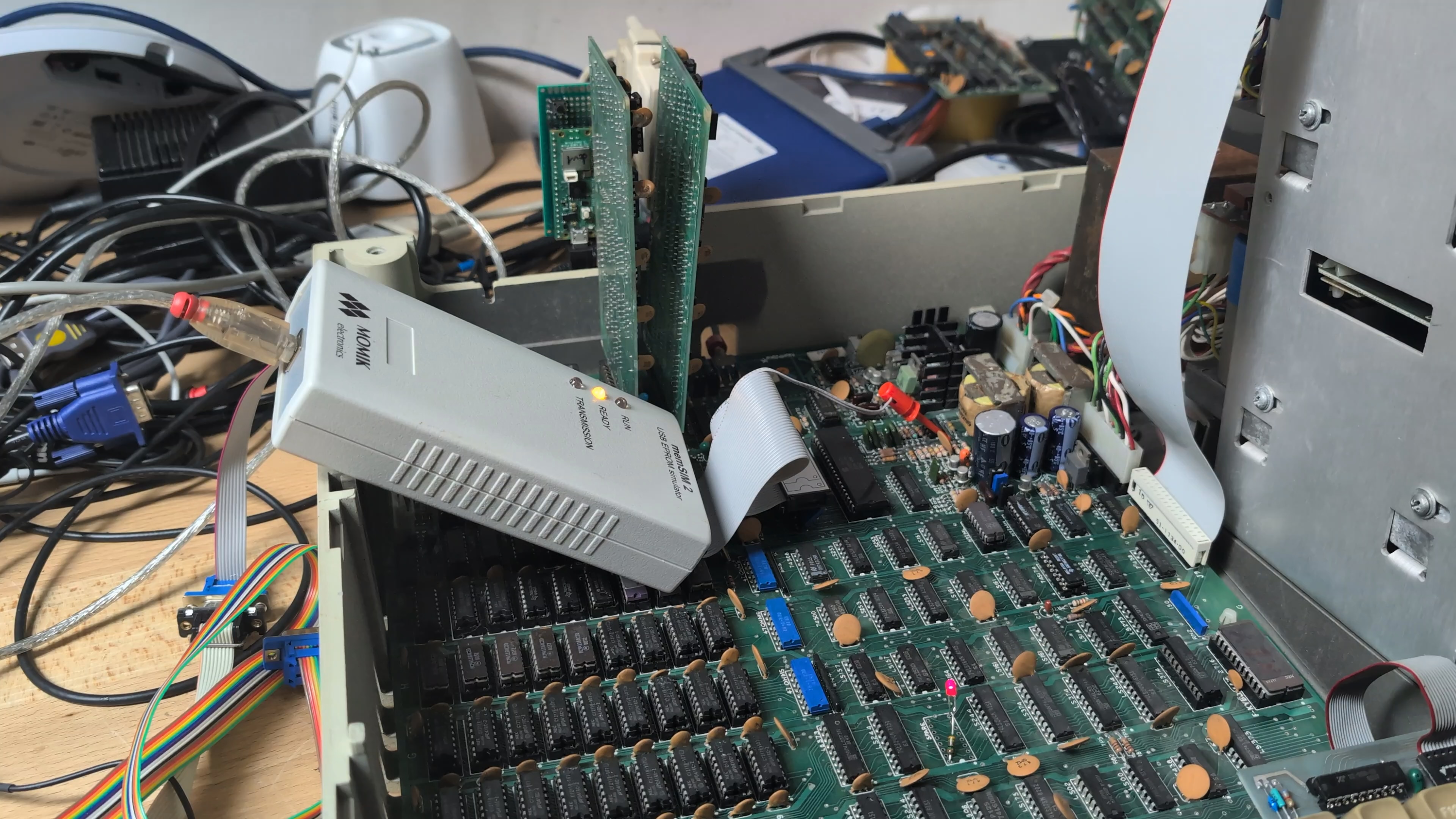
First, I created a simple test that performs the necessary machine initializations and then beeps. That program required no RAM at all. If it ran, the machine basically worked - and it did. Next, I extended the program so that it would test the display and main RAM and report results via beep codes. This showed that the main RAM worked, but the display RAM did not.
What Claude Code could not really tell me is why the display RAM was failing. It suggested measuring ripple and noise on the power supply rails, but comparing both machines showed the noise was normal.
While probing around, however, I noticed something I’d observed earlier but hadn’t given enough attention: The garbage that appeared on the screen faded away over time, and within a couple of minutes, the screen became completely black. That pointed to a thermal issue, and cold spray confirmed it. With that, I could identify one SN74LS174N chip (a 6-bit D flip-flop) that would react to being cooled down with a visible response on the screen.
As the chip was not in a socket, I needed to be sure that it was somewhere in the path between the display RAM, CPU, and the video logic so that its failure could cause the visual artifacts I was seeing. Eventually, I swapped it and that completely removed the failure and brought the machine back to life. I created a couple more in-depth memory tests and confirmed the RAM was sound.
From boot ROM to graphics demos
I now had a working machine but no boot media. I could borrow a small number of empty floppies from a friend, but rather than write disk images to them, I decided to keep building new software with Claude Code.
To run larger programs, I created a custom boot ROM that reads Intel HEX files from the serial port. That way, I could load programs of any size directly into the machine’s memory.
While interactively getting the serial port communication to work, I also prompted Claude Code in another window to create a high-performance graphics library with support for lines, circles, rectangles and sprites as well as a demo program. It iterated on Z80-optimized drawing routines until it produced something I could upload using the hex file boot ROM - and it actually worked, quickly displaying several shapes and moving sprites across the screen.
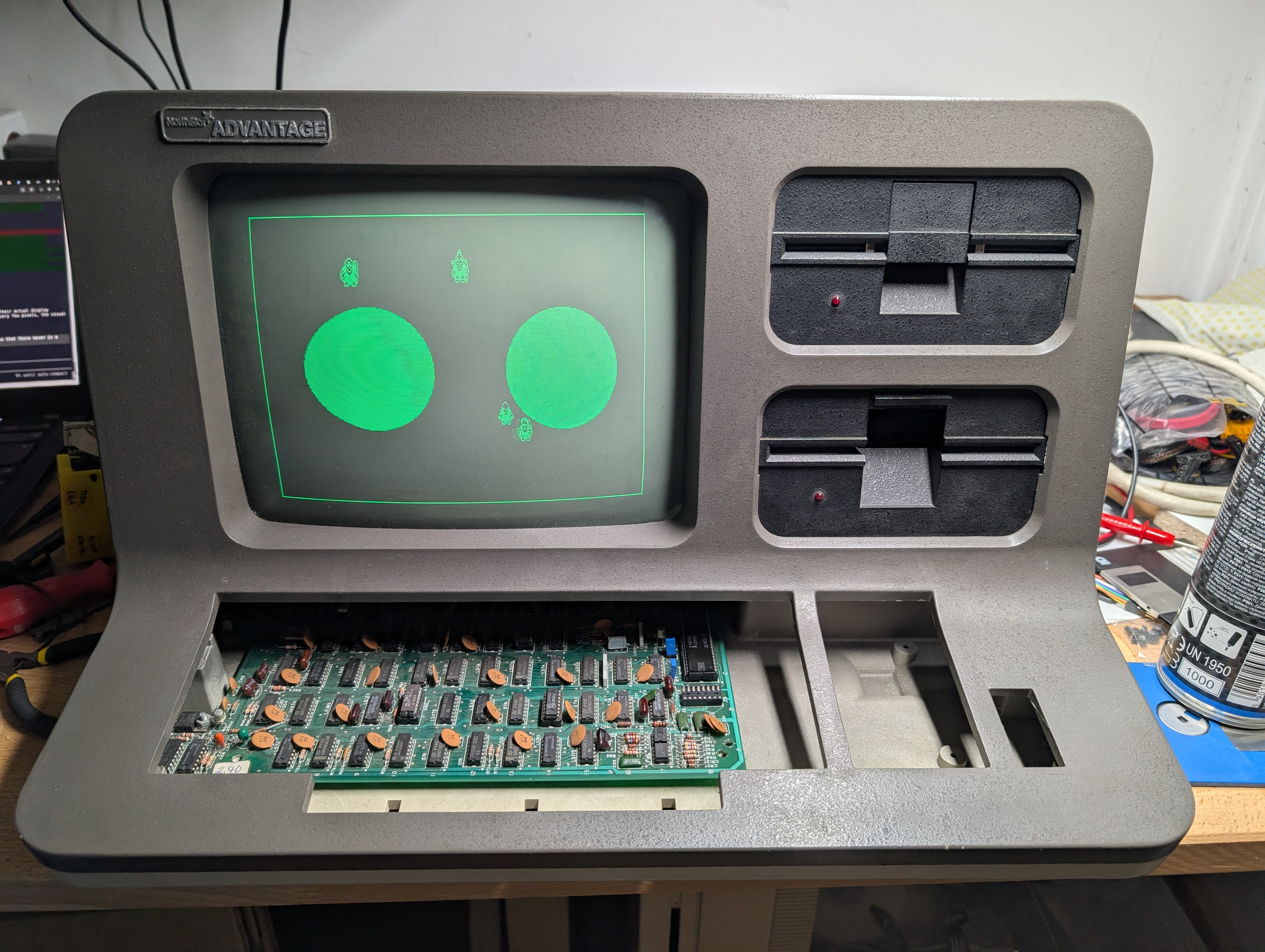
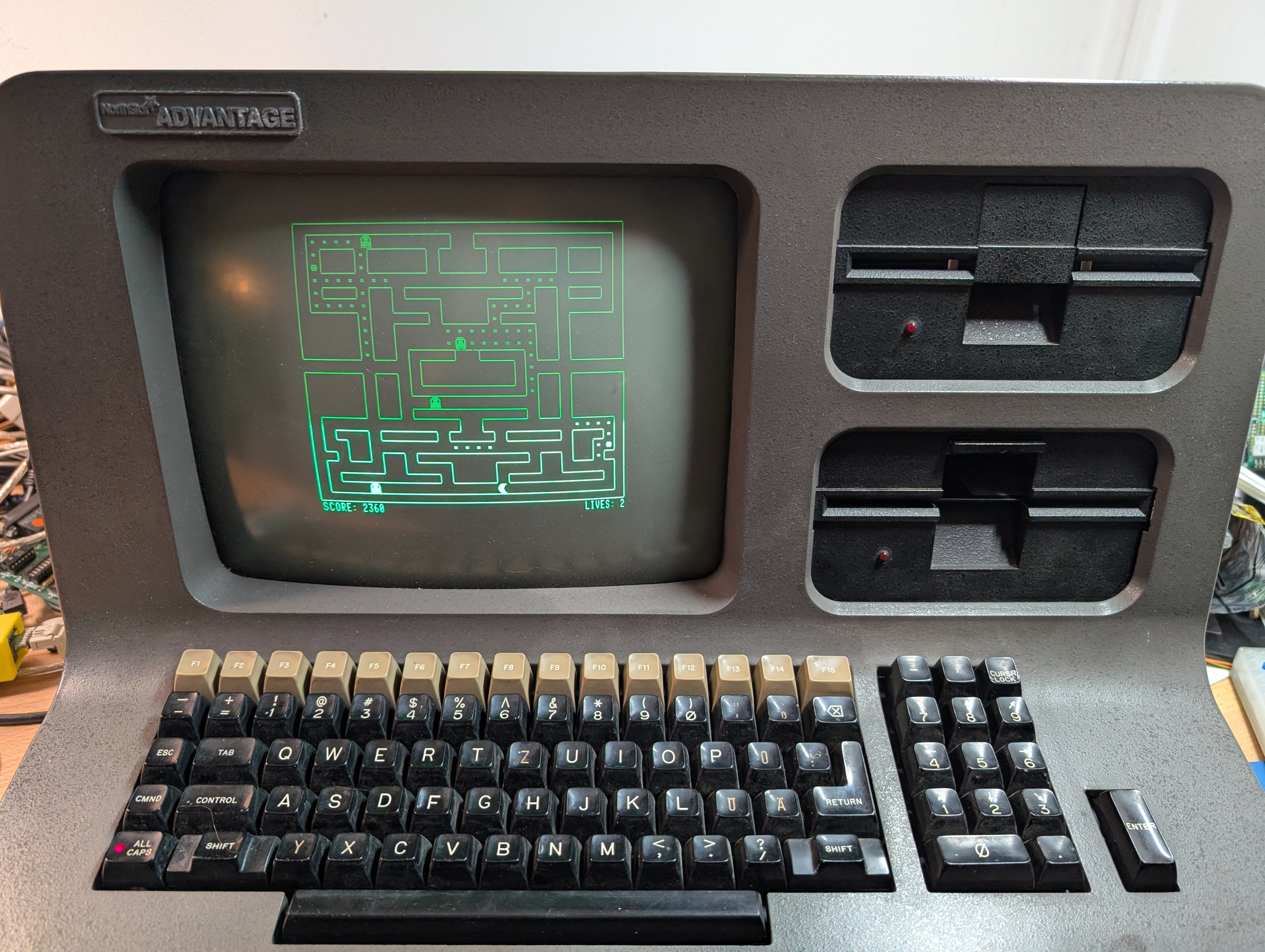
Three days later, I had a sprite demo, a Pac-Man game, a side-scrolling demo and a simple vertical shooter. Adding a demo mode to Pac-Man took many iterations until the player simulation AI was doing a passable job of chasing dots and avoiding ghosts.
When a friend visited, he pointed out that we should be able to display an image on the NorthStar’s screen. As the hex loader accepted any address, we could upload a suitably formatted image directly into the frame buffer. So, we converted my profile image to the in-memory format of the frame buffer, turned that into a hex file, and uploaded it:

Emulating mass storage
Ultimately, I want to return the two machines to the museum, and it would be a shame to put them back into storage for lack of hard-sectored floppies. Thus, I’m now working on a mass storage emulation system that can load both original floppy disk images and modern software like Pac-Man or the graphics demos. Since Claude Code makes creating new programs fast, visitors will be able to experience both original software and new programs written specifically for the museum - after all, the NorthStar Advantage never had a chance to shine as a gaming system until now.
The mass storage emulator consists of a Raspberry Pi Pico connected to the NorthStar through its parallel I/O card. Both NorthStar machines have this extension card built in. Separate input and output ports plus enough handshake lines make it easy to work with.

Getting the handshake signals to work correctly was difficult. Eventually, I found that Claude Code had assumed that the strobe signal would automatically be generated when data was written. The PIO interface requires explicit strobe control, however. After this problem was fixed and I continued working on other parts of the system, Claude Code forgot that peculiarity and we went through the same debugging process again.
I could have avoided this by adding the strobe behavior to the system prompt, but that points to a broader challenge: LLM-assisted development works best on systems that follow well-documented conventions. Identifying where your hardware deviates from those conventions - and articulating that upfront - is its own skill.
Conclusion
This was my first hardware project in which I used Claude Code extensively, and while I certainly had to work hard and provide key inputs, it helped me not only fix the machine, but also create a graphics demo, a Pac-Man clone and a vertical shooter. The pull to keep going was hard to resist - I could almost always make progress, and it always felt easy to come up with more ideas and see them realized within minutes or hours.
I’m glad that I can return these systems in working order and that they can now do things that they never could do before.